
A website can publish excellent content and still struggle in search when crawlers cannot access, interpret or prioritize its pages. A technical SEO audit finds those obstacles and turns them into a practical sequence of fixes.
This 15-point checklist covers the issues that matter most for crawlability, indexing, performance and site structure. It works for service websites, publishers and growing ecommerce brands.
1. Confirm that search engines can access the site
Check the WordPress visibility setting, robots.txt rules and any server-level restrictions. A staging rule or accidental noindex directive can remove valuable pages from search even when everything looks normal to visitors.
2. Review index coverage
Compare the pages you want indexed with the pages search engines have discovered. Investigate excluded URLs, duplicate pages, soft 404s and crawled pages that remain unindexed. Not every URL belongs in search, but every exclusion should be intentional.
3. Validate the XML sitemap
Your sitemap should return a successful response, contain canonical indexable URLs and update when content changes. Remove redirected, broken and noindex URLs. Submit the correct sitemap in the search engine tools used by your team.
4. Fix broken internal links
Broken links interrupt user journeys and waste crawl activity. Update links that point to deleted or moved pages, then redirect old URLs when a close replacement exists. Avoid sending every missing page to the homepage.
5. Simplify redirect chains
A redirect should normally move a visitor directly from the old URL to the final destination. Chains add delay, complicate crawling and make migrations harder to manage. Update internal links so they point straight to the canonical page.
6. Standardize canonical URLs
Each indexable page should identify the preferred version of its URL. Check HTTP versus HTTPS, www versus non-www, trailing slashes, parameters and alternate category paths. Canonical tags are signals, so reinforce them with consistent internal links and redirects.
7. Improve site architecture
Important pages should be easy to reach from navigation, category pages and relevant articles. Group content into clear themes and use descriptive anchors. Our broader SEO services combine technical fixes with content and authority planning because these elements work best together.
8. Audit page titles and headings
Give each important page a unique title that describes its main purpose. Use one clear H1 and organize subsections with logical H2 and H3 headings. This improves scanning for readers and helps search systems understand page structure. A focused on-page SEO review can resolve template-wide heading and metadata problems.
9. Check mobile usability
Test navigation, forms, tables and interactive elements on real mobile screen sizes. Look for text that is difficult to read, controls that are too close together and content hidden outside the viewport. Mobile quality is a conversion issue as much as a search issue.
10. Reduce performance bottlenecks
Compress oversized images, remove unnecessary scripts, cache static files and review slow server responses. Prioritize improvements that affect the main content and user interaction. Do not chase a perfect laboratory score while ignoring a slow or unstable customer journey.
11. Inspect JavaScript-dependent content
Important copy, links and structured data should remain available when rendering is delayed or scripts fail. Test the rendered HTML, especially on JavaScript-heavy templates. Confirm that navigation links use crawlable URLs rather than click handlers alone.
12. Add useful structured data
Use schema that accurately represents visible content, such as Organization, Article, BreadcrumbList, Product or LocalBusiness where appropriate. Validate the markup and keep it consistent with the page. Structured data should clarify reality, not manufacture claims.
13. Remove or improve thin pages
Filter pages, empty archives, tag variations and outdated campaign URLs can create unnecessary indexable inventory. Consolidate overlapping pages, improve useful ones and noindex or remove pages that serve no search purpose. Preserve valuable backlinks by redirecting retired URLs to relevant destinations.
14. Audit images and media
Use descriptive filenames and alt text where an image communicates information. Serve appropriately sized files and modern formats when supported. Lazy-load below-the-fold media, but avoid delaying the primary image when it affects the first view.
15. Monitor changes after implementation
Record a baseline before major work. After fixes go live, monitor crawl errors, indexed pages, rankings, organic clicks, conversions and server logs. Technical SEO is not a one-time project; templates, plugins and content changes can introduce new issues.
How to prioritize technical SEO fixes
Use three questions:
- Impact: How many valuable pages or users are affected?
- Confidence: Is there clear evidence that the issue causes a problem?
- Effort: How much development, testing and coordination will the fix require?
Start with sitewide blockers such as accidental noindex rules, broken templates and severe performance issues. Then address problems affecting revenue pages, followed by smaller improvements.
The best technical audit is not the one with the most findings. It is the one that creates a clear, testable order of operations.
Connect technical fixes to content and links
Technical work creates the conditions for growth, but it does not replace helpful content or authority. Once key pages are accessible and fast, strengthen them with relevant supporting articles and editorial backlinks. Review our link building services for an authority plan that complements the technical foundation.
If your team needs help diagnosing crawl, indexation or performance problems, explore our technical SEO services or request a consultation.
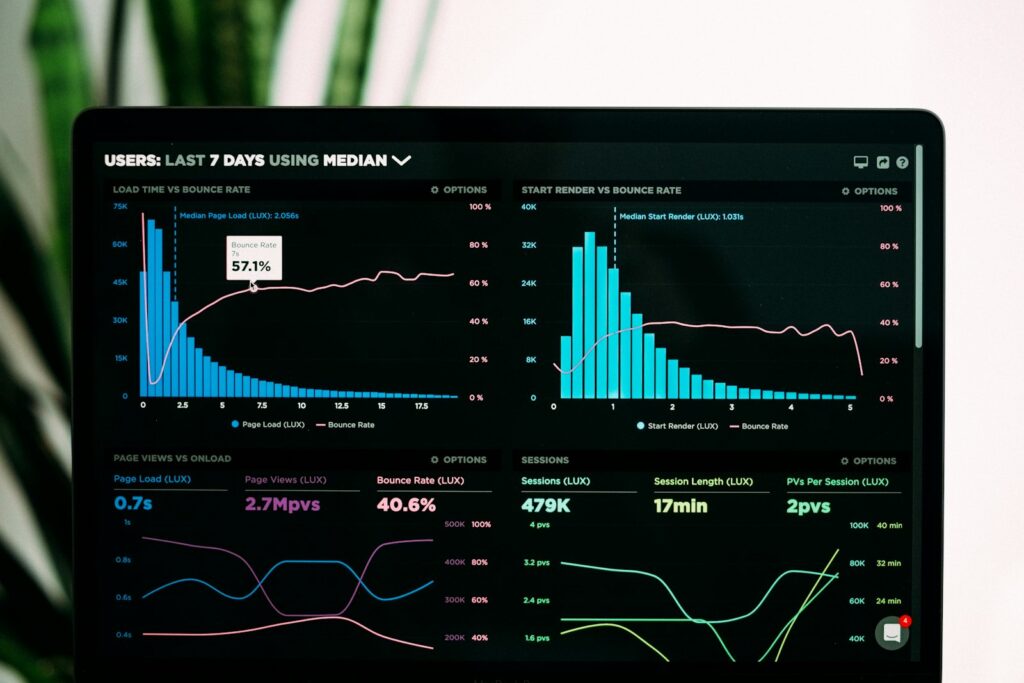
Featured photo by Luke Chesser via Unsplash.

Khizar Yaqoob
Khizar Yaqoob is the founder of Khizar SEO Expert and an off-page SEO specialist with 8+ years in search. He has run 30+ global outreach campaigns, secured 3,500+ premium editorial backlinks and helped 150+ brands grow through link building, digital PR and technical SEO. He writes about what actually moves rankings and revenue, backed by real campaign data.
View all articles →